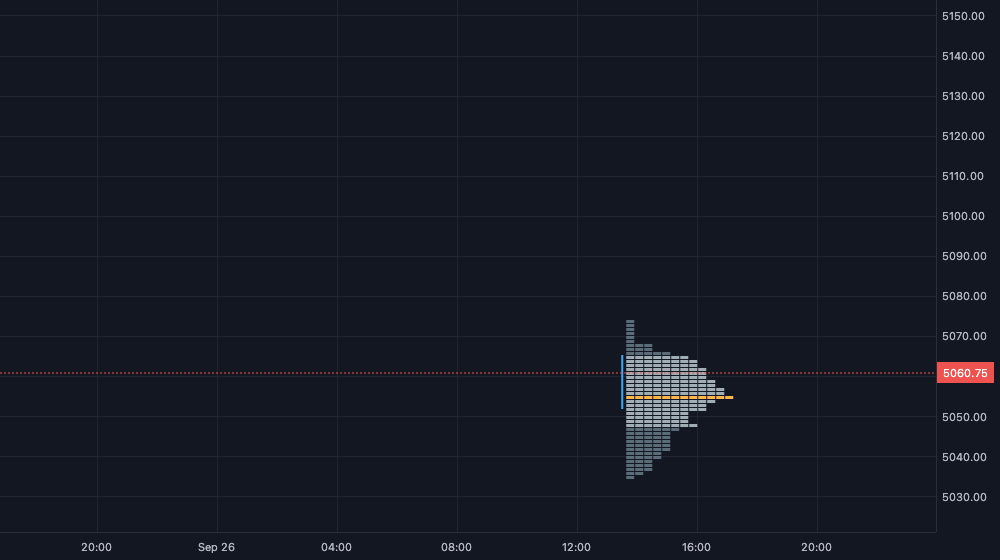

Custom chart types

Build your own chart types.

Build them with tradingthings Create. A chart type is one TypeScript file that replaces the candles: you decide how every bar is drawn.

Example 01

OHLC bars

Bars with open and close ticks instead of candles. The chart draws no candles for a chart type: the script draws every bar.
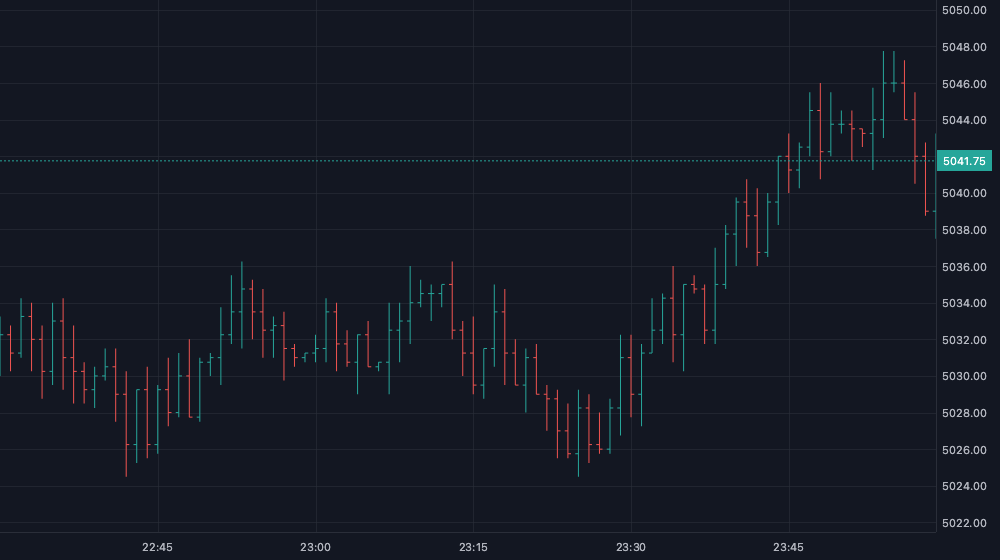
OHLC bars drawn by a script instead of candles
  • Draws each visible bar around its slot on the time axis.
  • Reports high, low and close, so autoscale and the crosshair magnet follow the bars.
  • Draws its own last price line and price label.
Read this example in the docs
ohlc-bars.ts
1import { defineScript, input } from "@tradingthings/tt-create";2 3/** Chart type: OHLC bars instead of candles, with the last price on the price axis. */4export default defineScript({5  name: "OHLC bars",6  surface: { kind: "ChartSeries" },7  inputs: {8    up: input.color({ default: "#26a69a", label: "Up" }),9    down: input.color({ default: "#ef5350", label: "Down" }),10  },11  subscribe: (ctx) => ({ bars: ctx.market.bars() }),12  state: () => ({}),13  draw: (_s, frame, g, ctx) => {14    const { time, open, high, low, close, length } = ctx.streams.bars;15    const { up, down } = ctx.inputs;16    const from = frame.barTimeAt(frame.visibleTime.from) ?? frame.visibleTime.from;17    const tick = Math.max(1, frame.barSpacing * 0.3);18 19    for (let i = 0; i < length; i += 1) {20      if (time[i]! < from || time[i]! > frame.visibleTime.to) continue;21 22      const x = frame.timeToX(time[i]!);23 24      if (x === null) continue;25 26      const color = close[i]! >= open[i]! ? up : down;27 28      // Autoscale and the crosshair magnet use these prices.29      g.priceValue(time[i]!, high[i]!);30      g.priceValue(time[i]!, low[i]!);31      g.priceValue(time[i]!, close[i]!);32      g.line(x, frame.priceToY(high[i]!), x, frame.priceToY(low[i]!), { color, width: 1 });33      g.line(x - tick, frame.priceToY(open[i]!), x, frame.priceToY(open[i]!), { color, width: 1 });34      g.line(x, frame.priceToY(close[i]!), x + tick, frame.priceToY(close[i]!), { color, width: 1 });35    }36 37    const last = length - 1;38 39    if (last < 0) return;40 41    const color = close[last]! >= open[last]! ? up : down;42    const y = frame.priceToY(close[last]!);43 44    // The chart draws no last price for a chart type: the script does.45    g.line(0, y, frame.width, y, { color, width: 1, dash: [2, 2] });46    g.priceLabel(close[last]!, frame.formatPrice(close[last]!), color, "#ffffff");47  },48});49 
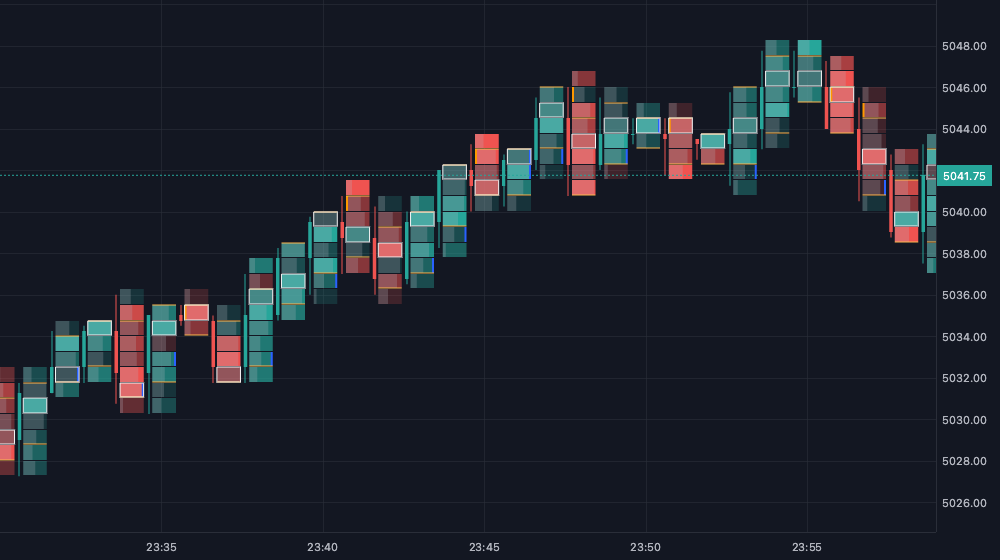
Footprint and TPO are scripts too.

Our own order flow chart types are built with the same API. Read their source to learn from, or duplicate them and change anything.

What scripts can do

The chart places your bars. Your script draws them.

  • In the chart type menu

    Saved chart types show up under "Custom charts", next to candles, Footprint and TPO.

  • Start from a built-in

    "Duplicate and edit" on Footprint or TPO gives you its full source as your own script.

  • Autoscale and magnet

    Report the prices your bars cover. The price scale fits them and the crosshair snaps to them.

  • Settings without UI code

    Declare inputs like colors or row size. They become the settings dialog and are saved per chart.

  • Fast by design

    Chart types draw with the chart's own GPU renderer. Draw only what is in view, batch shapes, and use textures for dense grids.

  • Browse all examples

AI skill

Describe it. Your AI assistant writes the script.

The tradingthings Create skill teaches Claude Code, Codex and other agents the whole script API, with the rules that make a script correct and every example from the docs.

  1. 1.

    Get the skill

    In the script editor, open "AI skill" in the toolbar. Download it as a folder or copy it for a chat.

  2. 2.

    Install it

    Claude Code: ~/.claude/skills/tradingthings-create/. Codex: ~/.codex/skills/tradingthings-create/. Other agents read SKILL.md.

  3. 3.

    Ask in one sentence

    The agent writes a .ts file. Paste it into the script editor or import it, then save. Type errors show before it runs.

You

Write a tradingthings Create chart type that draws Heikin Ashi candles.

Agent

Using skill tradingthings-create. Wrote heikin-ashi.ts.

Set up the AI skill

Write your first chart type in 5 minutes.